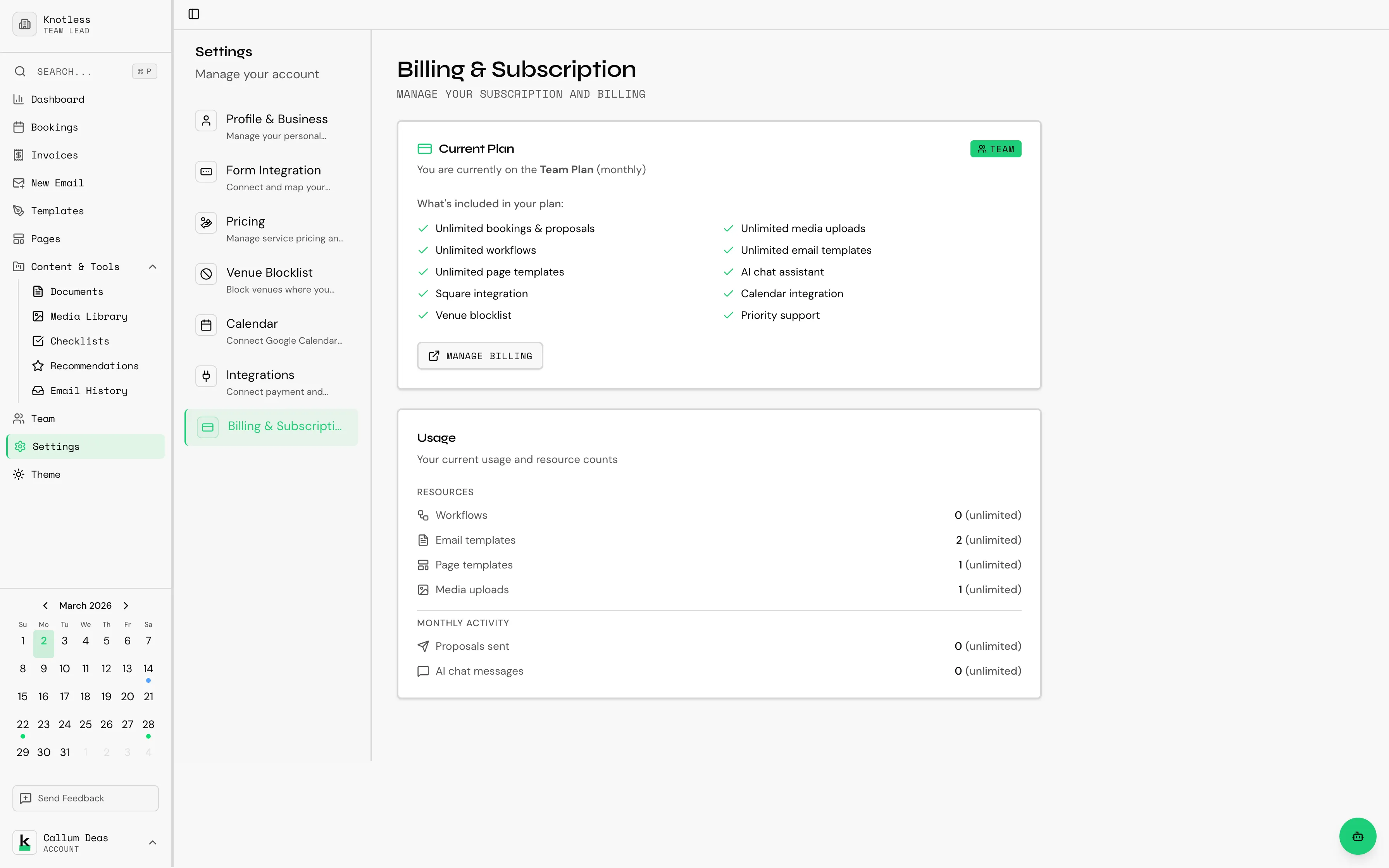
Billing & Subscription
Manage your Knotless subscription, payment methods, and billing history.
Accessing Billing
Section titled “Accessing Billing”Go to Settings → Billing & Subscription.
Subscription Plans
Section titled “Subscription Plans”Knotless offers three subscription tiers:
| Feature | Free | Starter | Premium |
|---|---|---|---|
| Bookings | Limited | More | Unlimited |
| Email templates | Limited | More | Unlimited |
| Pages | Limited | More | Unlimited |
| Workflows | Limited | More | Unlimited |
| Documents | Limited | More | Unlimited |
| Google Calendar sync | --- | --- | Included |
| Payment integrations | --- | --- | Included |
| Invoices | --- | --- | Included |
Which Plan is Right for Me?
Section titled “Which Plan is Right for Me?”Free Plan
- Just getting started or testing the platform
- Small number of bookings per month
Starter Plan
- Active freelancers and growing businesses
- Need more templates, pages, and workflows
Premium Plan
- Established businesses with high volume
- Need calendar sync, payment integrations, and invoicing
- Maximum usage limits across all features
Free Trial
Section titled “Free Trial”How Does the Free Trial Work?
Section titled “How Does the Free Trial Work?”- Sign up for a new account
- Automatically receive Premium features for a trial period
- No credit card required
- At trial end, choose to subscribe or continue with the Free plan
What Happens When My Trial Ends?
Section titled “What Happens When My Trial Ends?”- You’ll be notified before the trial ends
- If you don’t subscribe, you’ll switch to the Free plan
- Your data is preserved
- Upgrade any time to regain Premium features
Managing Your Subscription
Section titled “Managing Your Subscription”Upgrading
Section titled “Upgrading”- Go to Settings → Billing
- Click Upgrade Plan
- Select your desired plan
- Enter payment details via Stripe
- Confirm your subscription
{/_ TODO: Screenshot of the plan selection/upgrade screen /} {/ Preferred filename: settings-plan-selection.png _/}
Downgrading
Section titled “Downgrading”- Go to Settings → Billing
- Click Change Plan
- Select a lower tier
- Changes take effect at the next billing cycle
Cancelling
Section titled “Cancelling”- Go to Settings → Billing
- Click Cancel Subscription
- Confirm cancellation
- Access continues until the end of your billing period
After cancellation, your data is retained for 30 days. Export anything important before then.
Payment Methods
Section titled “Payment Methods”Accepted Payment Methods
Section titled “Accepted Payment Methods”- Credit cards (Visa, Mastercard, American Express)
- Debit cards
Updating Payment Method
Section titled “Updating Payment Method”- Go to Settings → Billing
- Click Payment Methods
- Add or update your payment method
- Set as default if needed
{/_ TODO: Screenshot of the payment method management section /} {/ Preferred filename: settings-payment-method.png _/}
Billing History
Section titled “Billing History”View past invoices and receipts:
- Go to Settings → Billing
- Scroll to Billing History
- View all past charges
- Download receipts as needed
Usage Limits
Section titled “Usage Limits”Throughout the app, you’ll see usage limit progress bars on features like templates, pages, workflows, and documents. These show how many you’ve used relative to your plan’s limit.
{/_ TODO: Screenshot of a usage limit progress bar on a feature page /} {/ Preferred filename: usage-limit-progress-bar.png _/}
When you approach a limit, you’ll see a prompt to upgrade your plan.
For billing questions not covered here, contact billing@knotless.co.uk.