Pricing & Services
Set up your pricing to streamline booking creation and invoicing.
Accessing Pricing Settings
Section titled “Accessing Pricing Settings”Go to Settings → Pricing & Services.
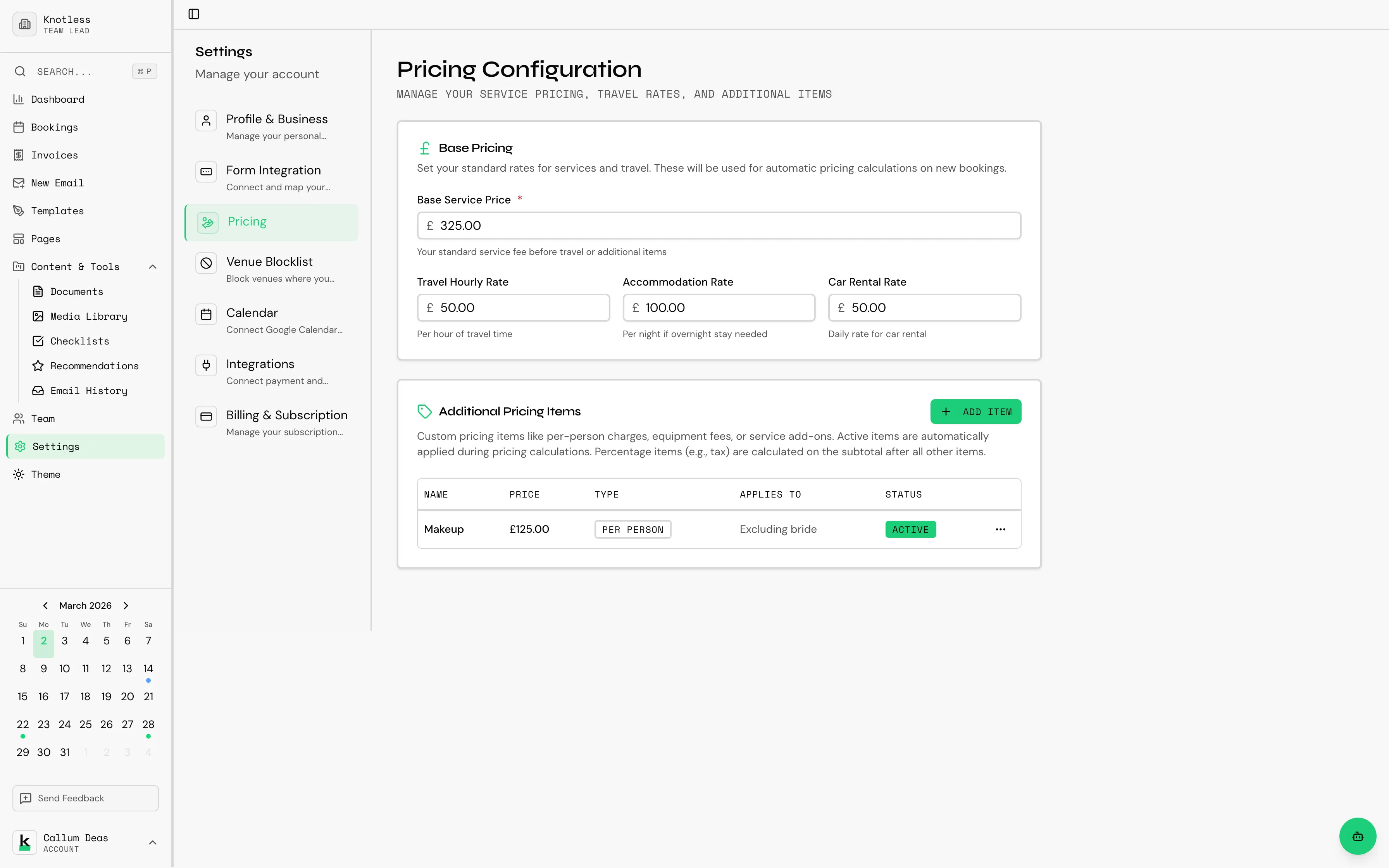
Service Pricing
Section titled “Service Pricing”Define the services you offer and their default prices:
- Click Add Service
- Enter the service name and description
- Set the default price
- Save
You can create multiple services at different price points. These services can be referenced when creating bookings.
{/_ TODO: Screenshot of the service list with prices /} {/ Preferred filename: settings-services-list.png _/}
Travel Rates
Section titled “Travel Rates”Configure travel rates to account for travel costs:
- Per mile/km rate - Set a rate for travel distance
- Minimum distance - Distance before travel charges apply
- Maximum distance - Your maximum travel radius
{/_ TODO: Screenshot of the travel rate configuration /} {/ Preferred filename: settings-travel-rates.png _/}
Additional Items
Section titled “Additional Items”Add extra items or packages that can be included with bookings:
- Add-on services
- Package bundles
- Equipment hire
- Any other chargeable items
Next: Set up Calendar Integration to sync with Google Calendar.